Clear Objectives. Team Success.
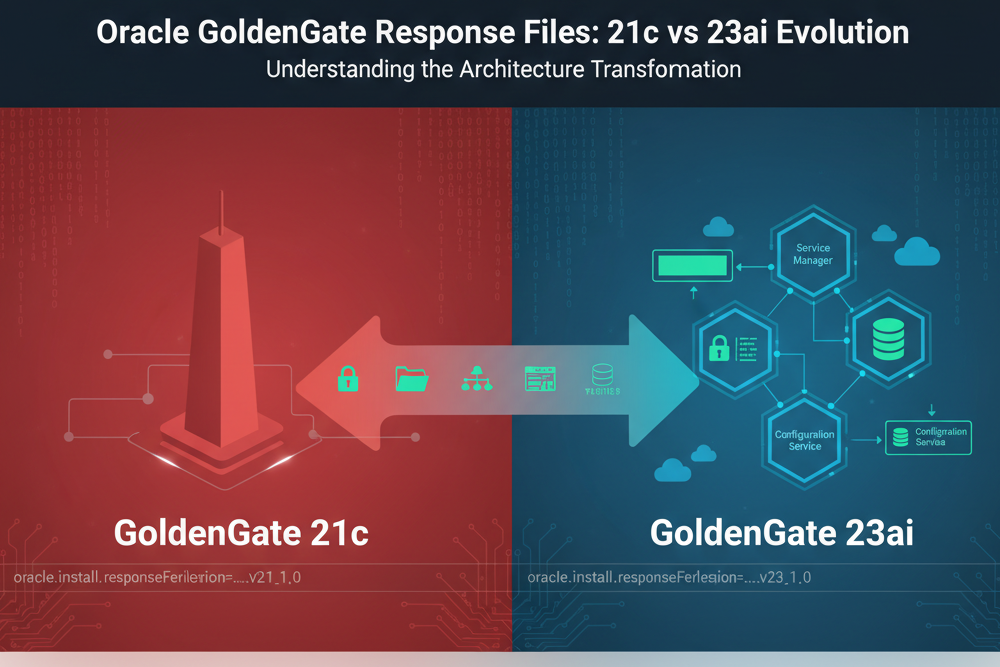
If you’ve been deploying Oracle GoldenGate using response files for silent installations, you need to understand what changed with 23ai. Let me give you the straight story on why your trusty 12c, 18c, 19c, or even 21c response file won’t work for 23ai deployments—and what you need to do about it.
The Challenge: When Experience Meets Evolution
For years, Oracle GoldenGate response files remained remarkably consistent. The same response file structure worked across 12c, 18c, 19c, and 21c deployments. We could standardize our automation, build reliable deployment pipelines, and move forward with confidence. Then 23ai arrived, and Oracle fundamentally restructured how GoldenGate deployments are configured.
This isn’t just about new parameters—it’s about a strategic shift in how Oracle wants us to think about GoldenGate architecture.
What’s Our Objective Here?
Before diving into the technical details, let’s align on what we’re trying to accomplish. Understanding these differences helps you:
– **Maintain existing automation** for legacy GoldenGate versions
– **Plan migrations** to 23ai with realistic timelines
– **Build new deployment strategies** that leverage 23ai capabilities
– **Avoid deployment failures** from using incompatible response files
The Response File Version: First Indicator of Change
The response file version itself tells the story:
Oracle GoldenGate 21c:
oracle.install.responseFileVersion=/oracle/install/rspfmt_oggca_response_schema_v21_1_0
Oracle GoldenGate 23ai:
oracle.install.responseFileVersion=/oracle/install/rspfmt_oggca_response_schema_v23_1_0
This version change signals Oracle’s commitment to a new configuration schema. Your automation needs to detect this and route to the appropriate response file template.
Key Architectural Differences
1. Administrator Account Restructure
One of the most significant changes is how administrator credentials are handled.
21c Approach (Single Administrator):
ADMINISTRATOR_USER=oggadmin

ADMINISTRATOR_PASSWORD=Welcome12345##

LOCAL_ADMINISTRATOR_USER=

LOCAL_ADMINISTRATOR_PASSWORD=
23ai Approach (Deployment-Level Separation):
ADMINISTRATOR_USER=oggadmin

ADMINISTRATOR_PASSWORD=

DEPLOYMENT_ADMINISTRATOR_USER=oggadmin

DEPLOYMENT_ADMINISTRATOR_PASSWORD=
What This Means:
In 23ai, Oracle separates Service Manager administration from deployment-level administration. This gives you tactical flexibility—you can have different credentials for Service Manager oversight versus individual deployment management. From a security perspective, this is outstanding design and has been around since the release of 12c in 2017.
2. Directory Structure: Granular Control
23ai introduces fine-grained control over deployment directories that simply didn’t exist in 21c or earlier versions back to 12c.
21c Directory Configuration:
OGG_DEPLOYMENT_HOME=/opt/app/oracle/deployments/Atlanta

OGG_ETC_HOME=/opt/app/oracle/deployments/Atlanta/etc

OGG_CONF_HOME=/opt/app/oracle/deployments/Atlanta/etc/conf

OGG_SSL_HOME=/opt/app/oracle/deployments/Atlanta/etc/ssl

OGG_VAR_HOME=/opt/app/oracle/deployments/Atlanta/var

OGG_DATA_HOME=/opt/app/oracle/deployments/Atlanta/var/lib/data
23ai Directory Configuration:
OGG_DEPLOYMENT_HOME=/opt/app/oracle/deployments/Atlanta

OGG_ETC_HOME=/opt/app/oracle/deployments/Atlanta/etc

OGG_CONF_HOME=/opt/app/oracle/deployments/Atlanta/etc/conf

OGG_SSL_HOME=/opt/app/oracle/deployments/Atlanta/etc/ssl

OGG_VAR_HOME=/opt/app/oracle/deployments/Atlanta/var

OGG_DATA_HOME=/opt/app/oracle/deployments/Atlanta/var/lib/data

OGG_ARCHIVE_HOME=/opt/app/oracle/deployments/Atlanta/var/lib/archive
The Strategic Impact:
With 23ai, you can distribute GoldenGate components across different mount points, filesystems, or storage tiers. Need to put SSL certificates on encrypted storage? Want data files on high-performance SSDs while archives sit on cheaper object storage? Now you can execute that strategy cleanly.
The same granularity applies to Service Manager directories:
23ai Service Manager Structure:
SERVICEMANAGER_DEPLOYMENT_HOME=/opt/app/oracle/deployments/ServiceManager

SERVICEMANAGER_ETC_HOME=/opt/app/oracle/deployments/ServiceManager/etc

SERVICEMANAGER_CONF_HOME=/opt/app/oracle/deployments/ServiceManager/etc/conf

SERVICEMANAGER_SSL_HOME=/opt/app/oracle/deployments/ServiceManager/etc/ssl

SERVICEMANAGER_VAR_HOME=/opt/app/oracle/deployments/ServiceManager/var

SERVICEMANAGER_DATA_HOME=/opt/app/oracle/deployments/ServiceManager/var/lib/data

SERVICEMANAGER_ARCHIVE_HOME=/opt/app/oracle/deployments/ServiceManager/var/lib/archive
3. Configuration Service: New Architecture Option
23ai introduces the Configuration Service—a centralized configuration management capability that didn’t exist in previous versions. I’m not 100% sold on the purpose, but it is a good addition to the product. It at least gives some mechanism for controlling versions of the parameter files.
23ai Configuration Service Options:
CONFIGURATION_SERVICE_ENABLED=false

CONFIGURATION_SERVICE_BACKEND_TYPE=FILESYSTEM

CONFIGURATION_SERVICE_BACKEND_CONNECTION_STRING=

CONFIGURATION_SERVICE_BACKEND_USERNAME=

CONFIGURATION_SERVICE_BACKEND_PASSWORD=

CONFIGURATION_SERVICE_BACKEND_TABLE_NAME=
Let’s Execute on This:
The Configuration Service allows you to store GoldenGate configurations in an Oracle Database instead of flat files. For enterprise deployments with multiple GoldenGate instances, this is mission-critical. You get:
- Centralized configuration management
- Database-level backup and recovery of configs
- Easier configuration auditing and compliance
- Simplified disaster recovery procedures
4. Environment Variables: Oracle Home Removed
Here’s a subtle but important change in environment variable handling.
21c Environment Variables:
ENV_ORACLE_HOME=

ENV_LD_LIBRARY_PATH=${OGG_HOME}/lib/instantclient:${ORACLE_HOME}/lib

ENV_TNS_ADMIN=${OGG_HOME}/network/admin

ENV_ORACLE_SID=

ENV_STREAMS_POOL_SIZE=

ENV_USER_VARS=
23ai Environment Variables:
ENV_LD_LIBRARY_PATH=${OGG_HOME}/lib/instantclient:${OGG_HOME}/lib

ENV_TNS_ADMIN=/opt/app/oracle/23.4.0.24.05/ogghome_1/lib/instantclient

ENV_STREAMS_POOL_SIZE=

ENV_USER_VARS=
What Changed:
Notice that `ENV_ORACLE_HOME` and `ENV_ORACLE_SID` are gone from 23ai. Oracle is moving toward a more self-contained GoldenGate deployment model. The `LD_LIBRARY_PATH` no longer references `${ORACLE_HOME}/lib`—GoldenGate 23ai is designed to be less dependent on Oracle Database client installations.
5. Security Enhancements
23ai brings more sophisticated security configuration options.
21c Security (Basic):
SECURITY_ENABLED=False

FIPS_ENABLED=False

CIPHER_SUITES=

SERVER_WALLET=

SERVER_CERTIFICATE=

SERVER_CERTIFICATE_KEY_FILE=

SERVER_CERTIFICATE_KEY_FILE_PWD=
23ai Security (Enhanced):
SECURITY_ENABLED=false

TLS_1_2_ENABLED=false

TLS_1_3_ENABLED=true

FIPS_ENABLED=false

SERVER_CERTIFICATE=

SERVER_CERTIFICATE_KEY_FILE=

SERVER_CA_CERTIFICATES_FILE=

CLIENT_CERTIFICATE=

CLIENT_CERTIFICATE_KEY_FILE=

CLIENT_CA_CERTIFICATES_FILE=
The Security Evolution:
23ai gives you explicit control over TLS versions—critical for compliance requirements. The addition of CA certificate file parameters means proper certificate chain validation. No more importing certificates into wallets manually; 23ai handles PKCS #8 format keys directly.
Important Note: Your private key files must be in PKCS #8 format and unencrypted. Plan your certificate management strategy accordingly.
6. Remote Metrics: Observability First
23ai introduces remote metrics capabilities using the StatsD protocol—functionality completely absent from 21c.
23ai Remote Metrics Configuration:
Service Manager Remote Metrics
ENABLE_SERVICE_MANAGER_REMOTE_METRICS=false

SERVICE_MANAGER_REMOTE_METRICS_LISTENING_HOST=

SERVICE_MANAGER_REMOTE_METRICS_LISTENING_PORT=0
Deployment Remote Metrics
ENABLE_DEPLOYMENT_REMOTE_METRICS=false

DEPLOYMENT_REMOTE_METRICS_LISTENING_HOST=

DEPLOYMENT_REMOTE_METRICS_LISTENING_PORT=0
How Can We Tackle This Together?
Modern observability platforms like Datadog, Grafana, and Prometheus consume StatsD metrics natively. With 23ai, you can now integrate GoldenGate performance data directly into your enterprise monitoring stack. This is the kind of operational excellence that separates mature deployments from basic setups.
7. Performance Metrics Server: UDP Port Removed
A small but noteworthy change in the Performance Metrics Server configuration.
21c Performance Metrics Server:
PORT_PMSRVR=17004

UDP_PORT_PMSRVR=17005

PMSRVR_DATASTORE_TYPE=LMDB

PMSRVR_DATASTORE_HOME=/gg_data/<deployment_name>/lmdb
23ai Performance Metrics Server:
PORT_PMSRVR=16004

PMSRVR_DATASTORE_TYPE=LMDB

PMSRVR_DATASTORE_HOME=/opt/app/oracle/deployments/Atlanta/lmdb
What’s the Assessment?
The UDP port parameter is gone in 23ai. The Performance Metrics Server now operates purely on TCP, simplifying firewall rules and network configuration.
Why Your 21c Response File Fails with 23ai
Let’s coordinate on why automation breaks when you try to use a 21c response file for 23ai deployment:
- Schema Version Mismatch: The `oggca` utility validates the response file version. A v21 schema against a 23ai installer fails immediately.
- Missing Required Parameters: 23ai requires parameters like `DEPLOYMENT_ADMINISTRATOR_USER` that don’t exist in 21c files. The installer can’t proceed without them.
- Deprecated Parameters: 21c parameters like `ENV_ORACLE_HOME` and `UDP_PORT_PMSRVR` cause validation errors in 23ai.
- Directory Structure Expectations: 23ai expects explicit directory declarations. Leaving them blank (as 21c allowed) results in failed deployments or unpredictable directory layouts.
- Security Configuration Changes: The 21c wallet-based security model doesn’t map to 23ai’s certificate-based approach.
Practical Migration Strategy
Here’s what I’m seeing from the field, and what’s your assessment of your situation:
For New 23ai Deployments
- Start with the 23ai response file template
- Leverage the new directory separation for better storage management
- Enable remote metrics from day one
- Consider Configuration Service for multi-instance environments
- Plan your TLS 1.3 migration timeline
For Hybrid Environments (21c + 23ai)
- Maintain separate response file templates by version
- Build version detection into your deployment automation
- Document the differences for your operations team
- Plan phased migrations, not big-bang cutover
- Test thoroughly in non-production first
For Brownfield Migrations
- Audit your existing 21c response files
- Map old parameters to new 23ai equivalents
- Plan directory restructuring carefully
- Update monitoring integrations for new metrics endpoints
- Schedule maintenance windows for Service Manager upgrades
Action Items for Your Team
- Inventory your existing response files and identify which versions they support
- Create 23ai-specific templates using the new schema
- Update deployment automation to select appropriate templates by version
- Test deployments in non-production environments
- Document the differences for your operations and support teams
- Plan training sessions to bring everyone up to speed
Let’s Align Our Efforts
The evolution from 21c or earlier to 23ai represents Oracle’s strategic vision for GoldenGate as a modern, cloud-ready replication platform. The changes in response file structure aren’t arbitrary—they enable better security, improved observability, and more flexible deployment architectures.
Your expertise is invaluable in navigating this transition. Whether you’re maintaining legacy systems, building new deployments, or planning migrations, understanding these differences helps you execute successfully.
Questions? Let’s Coordinate.
How is your team handling the transition to GoldenGate 23ai? Are you maintaining parallel response file templates, or standardizing on 23ai for all new deployments? What challenges are you encountering?
I have your back on this. Reach out, and let’s find solutions that work for your environment.
Additional Resources
- Oracle GoldenGate 23ai Documentation: [https://docs.oracle.com/en/middleware/goldengate/](https://docs.oracle.com/en/middleware/goldengate/)
- Oracle GoldenGate Support Community
- RheoData GoldenGate Services and Consulting
Please follow and like:


Bobby Curtis

I’m Bobby Curtis and I’m just your normal average guy who has been working in the technology field for awhile (started when I was 18 with the US Army). The goal of this blog has changed a bit over the years. Initially, it was a general blog where I wrote thoughts down. Then it changed to focus on the Oracle Database, Oracle Enterprise Manager, and eventually Oracle GoldenGate.
If you want to follow me on a more timely manner, I can be followed on twitter at @dbasolved or on LinkedIn under “Bobby Curtis MBA”.
Follow if you like:


