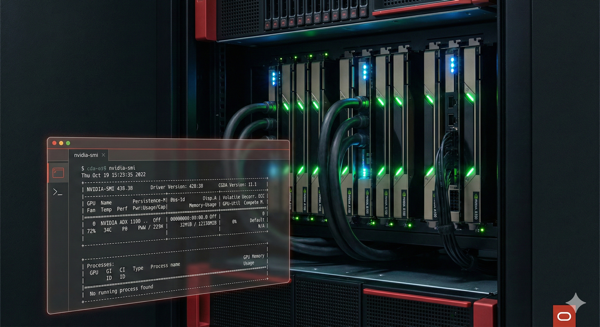
As organizations increasingly leverage GPU computing for AI workloads, database administrators find themselves managing infrastructure beyond traditional RDBMS environments. When I recently deployed GPU instances on Oracle Cloud Infrastructure (OCI) running Oracle Enterprise Linux 9, what seemed like a routine driver installation turned into an educational experience with kernel dependencies, compiler mismatches, and repository configurations.
This post documents the obstacles encountered during NVIDIA driver installation and provides a validated approach for DBAs facing similar challenges.
Understanding the Challenge
The nvidia-smi utility (NVIDIA System Management Interface) serves as the primary monitoring tool for GPU health, memory utilization, and process tracking. Without it, you’re essentially operating GPU resources blind. On OCI compute instances running Oracle Enterprise Linux 9 (OEL 9), getting this tool operational requires navigating several interdependent components that must align precisely.
The Issues We Encountered
Issue 1: Missing NVIDIA Repository
Symptom: No match for argument: nvidia-driver
The default OEL 9 repositories don’t include NVIDIA drivers. Unlike Oracle Database installations where Oracle provides everything through ULN or yum repositories, GPU drivers require adding NVIDIA’s CUDA repository explicitly.
Resolution: Configure the NVIDIA CUDA repository before attempting any driver installation.
Issue 2: DKMS Dependency Failure
Symptom: package nvidia-kmod-common requires nvidia-kmod and nothing provides dkms >= 3.1.8
DKMS (Dynamic Kernel Module Support) enables automatic kernel module rebuilding when kernels update. This package lives in the EPEL repository, not the standard Oracle repos. Think of it like needing Oracle Instant Client to connect to a database—you need the right supporting libraries in place first.
Resolution: Install the Oracle EPEL release package to access DKMS and other community packages.
Issue 3: The UEK Kernel Compatibility Problem
Symptom: gcc: error: unrecognized command-line option '-fmin-function-alignment=16'
This issue represents the most significant obstacle encountered. Oracle’s Unbreakable Enterprise Kernel (UEK) version 6.12 was compiled with a newer GCC version than what ships with OEL 9. The -fmin-function-alignment flag requires GCC 11 or later, but the system had an older version. When DKMS attempted to compile the NVIDIA kernel module, the build failed due to this compiler mismatch.
For DBAs familiar with Oracle software, this resembles encountering a ORA-12154 when TNS configurations don’t align—all the individual pieces exist, but they aren’t communicating properly.
Resolution: Switch from UEK to the standard RHEL-compatible kernel. The standard kernel (version 5.14.x) maintains compatibility with the system’s GCC version.
Issue 4: Kernel Header Mismatches
Symptom: Your kernel headers for kernel X.X.X cannot be found
DKMS requires kernel headers matching the running kernel version exactly. After switching kernels, the corresponding development headers must be installed. This dependency often catches administrators off guard because the kernel package and kernel-devel package versions must match precisely.
Resolution: Install kernel headers explicitly matching the current running kernel using $(uname -r) to ensure version alignment.
Issue 5: Module Loading and PATH Configuration
Symptom: -bash: nvidia-smi: command not found
Even after successful installation, the nvidia-smi binary may not be in your PATH. The CUDA toolkit installs to /usr/local/cuda/bin, which isn’t included in default shell profiles.
Resolution: Update PATH and LD_LIBRARY_PATH environment variables, then either source the profile or start a new session.
The Validated Installation Process
Based on the issues encountered, here’s the recommended installation sequence for OCI GPU instances running OEL 9:
Step 1: Add the NVIDIA CUDA Repository
sudo dnf config-manager --add-repo \
  https://developer.download.nvidia.com/compute/cuda/repos/rhel9/x86_64/cuda-rhel9.repo
Step 2: Install EPEL Repository
sudo dnf install oracle-epel-release-el9 -yIf the Oracle package isn’t available, use the Fedora EPEL directly:
sudo dnf install https://dl.fedoraproject.org/pub/epel/epel-release-latest-9.noarch.rpm -yStep 3: Install DKMS and Standard Kernel Components
sudo dnf install dkms kernel kernel-devel kernel-headers -yStep 4: Switch to the Standard RHEL Kernel
List available kernels and identify the non-UEK option:
sudo grubby --info=ALL | grep -E "^(index|title)"Set the standard kernel as default (replace X with the correct index):
sudo grubby --set-default-index=X
sudo reboot
Step 5: Verify Kernel and Install Matching Headers
After reboot, confirm you’re running the standard kernel:
uname -r
# Output should NOT contain "uek"
Install exact-match headers:
sudo dnf install kernel-devel-$(uname -r) kernel-headers-$(uname -r) -yStep 6: Install CUDA Toolkit and NVIDIA Driver
sudo dnf install cuda-toolkit nvidia-driver -yStep 7: Build the NVIDIA Kernel Module
sudo dkms autoinstallStep 8: Load and Verify
sudo modprobe nvidia
nvidia-smi
Step 9: Configure PATH (if nvidia-smi not found)
echo 'export PATH=/usr/local/cuda/bin:$PATH' >> ~/.bashrc
echo 'export LD_LIBRARY_PATH=/usr/local/cuda/lib64:$LD_LIBRARY_PATH' >> ~/.bashrc
source ~/.bashrc
Step 10: Install Python Development Headers (for vLLM/AI workloads)
sudo dnf install python3.11-devel -yKey Takeaways for DBAs
The fundamental lesson from this experience centers on kernel compatibility. Oracle’s UEK provides excellent performance for database workloads, but the newer UEK 6.12 kernel creates friction with NVIDIA’s DKMS-based driver installation due to compiler version mismatches.
When working with OCI GPU instances, the standard RHEL-compatible kernel provides a more straightforward path to functional GPU monitoring. This trade-off is worthwhile for AI and machine learning workloads where GPU visibility is essential.
For production environments, I recommend documenting your kernel choice and the rationale, creating automation scripts for consistent deployments, and testing the complete driver installation process before deploying GPU-dependent applications.
Conclusion
Installing NVIDIA drivers on Oracle Enterprise Linux 9 requires attention to kernel selection, repository configuration, and dependency alignment. By understanding the relationship between these components, DBAs can successfully deploy and monitor GPU resources on OCI.
The process outlined here transforms what could be hours of troubleshooting into a repeatable, reliable deployment pattern. Your GPU instances—and the AI workloads running on them—will thank you for the visibility that nvidia-smi provides.
Please follow and like:



Bobby Curtis

I’m Bobby Curtis and I’m just your normal average guy who has been working in the technology field for awhile (started when I was 18 with the US Army). The goal of this blog has changed a bit over the years. Initially, it was a general blog where I wrote thoughts down. Then it changed to focus on the Oracle Database, Oracle Enterprise Manager, and eventually Oracle GoldenGate.
If you want to follow me on a more timely manner, I can be followed on twitter at @dbasolved or on LinkedIn under “Bobby Curtis MBA”.
Follow if you like:


